
Mobile app
The Libertex app
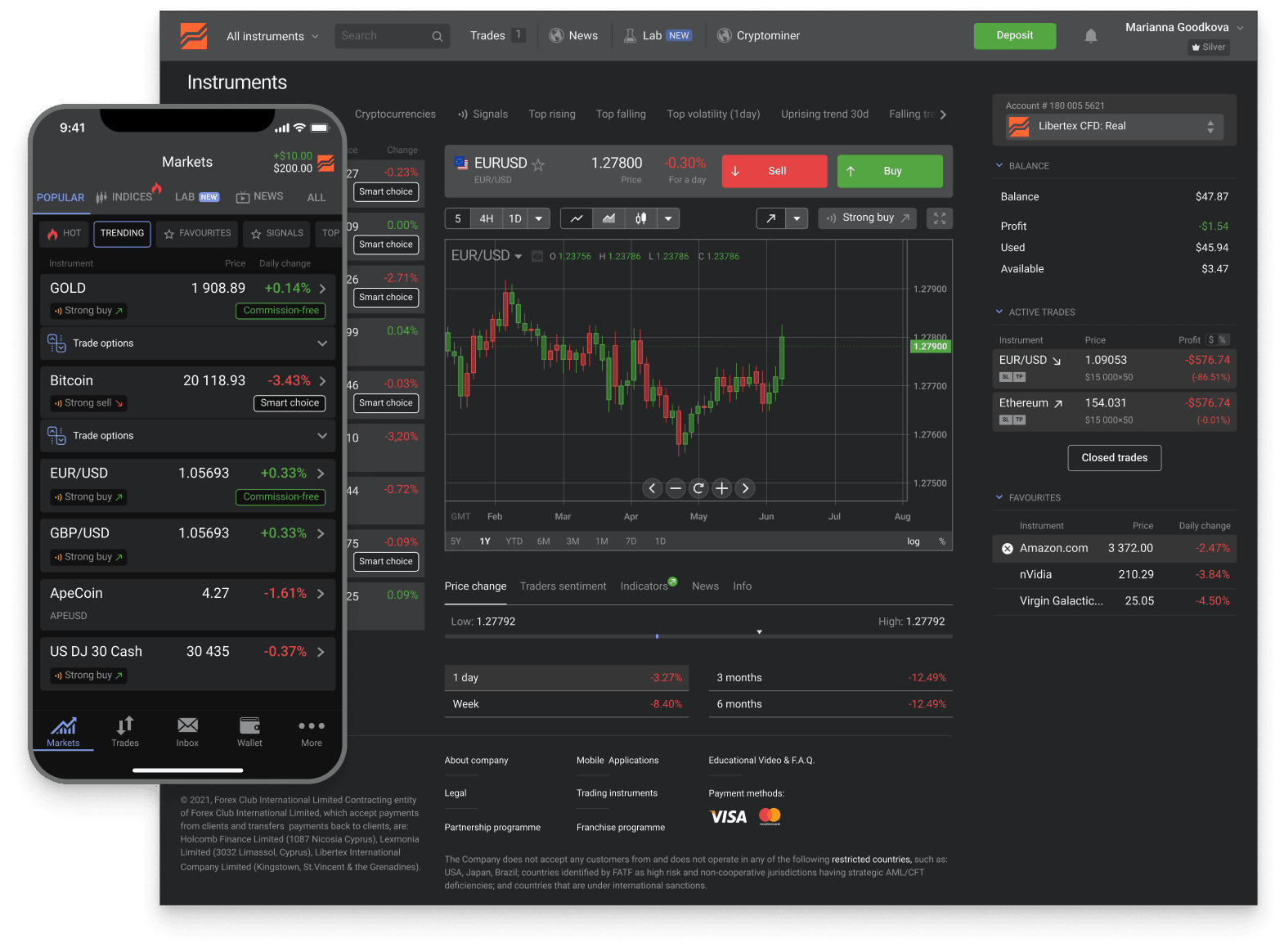
The Libertex app is a full trading terminal built for touch. Open your account in minutes and trade global markets right from your phone.
Trusted
- downloads
- 15M+
- reviews
- 25K+
- years
- 26+
- countries
- 120+
across iOS and Android
App Store + Google Play
in global markets
served worldwide
Industry recognition

Most Trusted Broker
2024 · European CEO Awards

Best Global Broker
2025 · UF Awards

Best Online Trading Platform
2025 · Fintech Breakthrough

CFD Broker of the Year
2024 · Pan Finance
Pick your phone
iOS and Android mobile apps
Two official mobile apps, one per platform. Same Libertex account, same instruments, same execution path; minor UI differences follow each OS's conventions. Both are free to download from the official store.
iPhone & iPad
Official iOS app from the App Store. Face ID / Touch ID sign-in on capable devices, full trading platform, push notifications. iPad's larger screen gives a more analysis-friendly layout. Search "Libertex" on the App Store and verify the developer name before installing.
About iOS appAndroid
Official Android app from Google Play. Fingerprint and face-unlock support, full trading platform, push notifications. Search "Libertex" on Google Play and verify the developer name. Never sideload APKs from random websites that claim to be Libertex.
About Android app
Mobile-specific capabilities
What the Libertex app gives you on phone
Four things the mobile app does well — touch ergonomics and the convenience layer that desktop terminals can't match for on-the-go workflows.
Biometric sign-in
After the first sign-in with email and password, the app supports Face ID / Touch ID on iOS and fingerprint / face-unlock on Android. The biometric reference stays in the device's secure enclave; the broker never receives it. Convenience-on-device, not a credential the broker stores.
Push notifications
Price-level alerts you configure, order-execution confirmations, account-security alerts (sign-in from new device, large transactions), and platform announcements. iOS / Android system permissions gate notifications on first run; fine-tune per category in app settings.
On-the-go execution
Open positions, modify stops, close trades, set pending orders — all from a touch-optimised interface designed for quick, decisive actions rather than multi-chart analysis. Best paired with the desktop / web terminal for chart-heavy planning and the mobile app for live execution.
Account management
Deposit, withdraw, KYC document upload via the device camera, payment-method setup, two-factor authentication — the full dashboard fits on phone. Useful for funding the account or completing KYC away from the desktop.
Where to go next
Mobile app — three paths
Three pages cover the next steps after orienting yourself on the mobile app — platform-specific install guidance, the unified download hub, and the desktop / web counterpart for chart-heavy analysis.
Official download page
The 'where to install' hub — links to the Apple App Store and Google Play listings, plus the safety checks that matter when distinguishing the official Libertex app from spoofed broker clones. The first step before iOS / Android specifics.
Where to downloadiOS install details
iPhone and iPad install flow, Face ID setup, iOS-version requirements, App Store verification tips, FAQ on permissions and updates.
iOS guideAndroid install details
Google Play install flow, fingerprint and biometric setup, alternative distribution if Play is restricted in your region, anti-APK guidance.
Android guideDesktop / web terminal
For chart-heavy analysis, multi-monitor setups, Expert Advisors or custom indicators, the screen-based terminals (web browser, MT4, MT5 desktop) complement the mobile app.
Desktop terminal
FAQ
Libertex app questions
Next step
Open your account and start trading
Open your Libertex account in minutes and trade global markets — on the app or in your browser.
Related:Registration steps·Demo account·Log in·Fees overview
Trading in financial instruments is a risky activity and can bring not only profits, but also losses. The amount of possible losses is limited by the amount of the deposit.